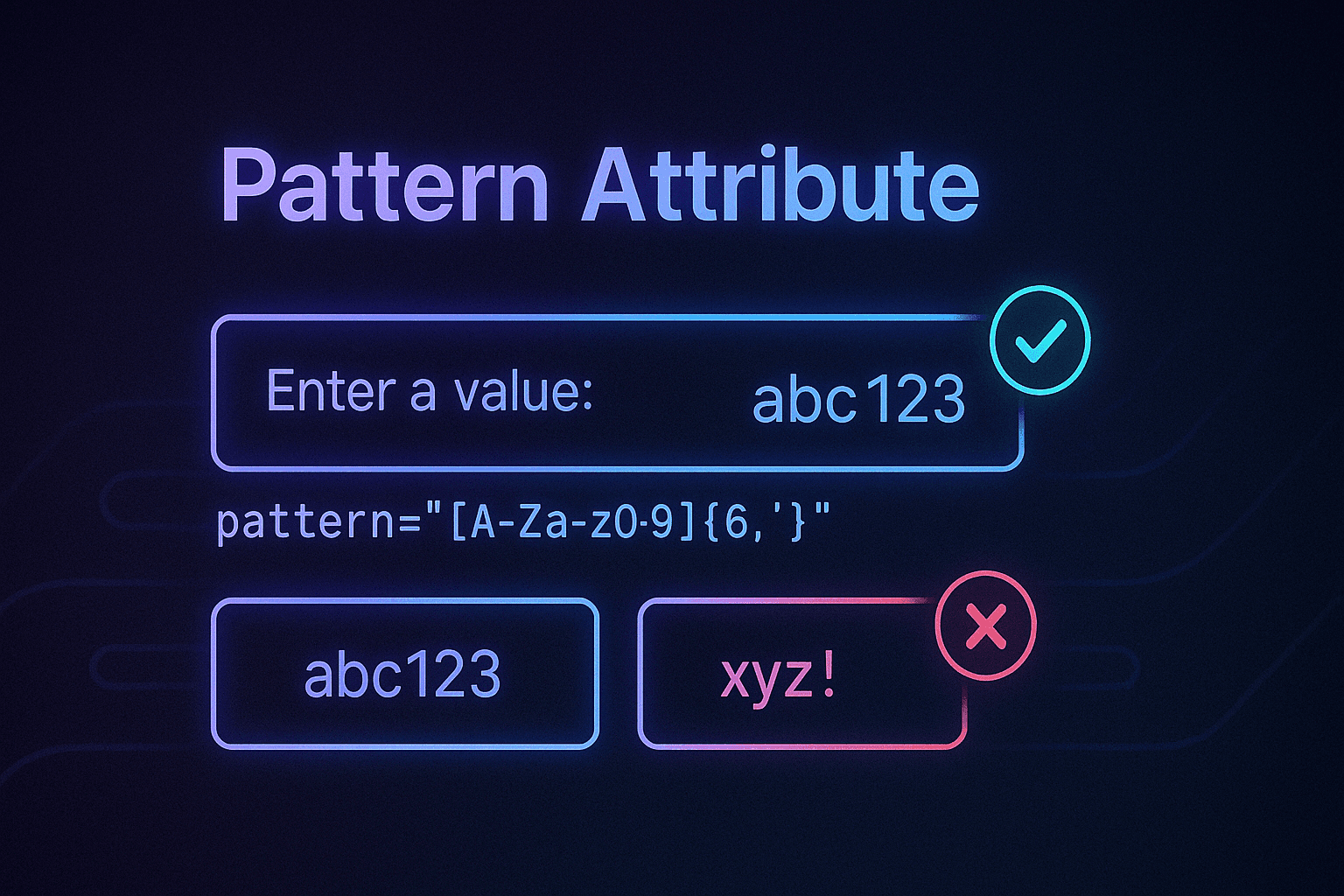
The pattern attribute in HTML allows you to define a regular expression (regex) that the input value must match. It's a way to validate user input on the client side without needing JavaScript.
How Does It Work?
#- Define a Regular Expression: The
patternattribute contains a regex string that specifies the acceptable format for the input value - Browser Validation: When the user submits the form, the browser checks the input against the regex in
pattern. If the input does not match, the browser prevents submission and can show a validation message - Example:
<input type="text" pattern="[A-Za-z]{5}" title="Please enter exactly 5 letters." required />
pattern="[A-Za-z]{5}": Only allows 5 letters (uppercase or lowercase)title="...": Provides a custom error message when the input is invalidrequired: Ensures the input is not left blank
Key Concepts
#Regular Expressions (Regex)
#Regex is a sequence of characters defining a search pattern. Here's a quick breakdown of common regex symbols:
[A-Za-z]: Matches any letter (uppercase or lowercase){5}: Matches exactly 5 characters^: Ensures the string starts with the specified pattern$: Ensures the string ends with the specified pattern
Example:
^[A-Za-z]{5}$: Starts (^) and ends ($) with exactly 5 letters. Prevents partial matches (e.g., "abc123" won't pass)
ValidityState API
#Every form control has a ValidityState object that provides information about its validity:
patternMismatch:trueif the value doesn't match the regex inpatternvalid:trueif all validation rules (includingpattern) are satisfied
const input = document.querySelector('input[pattern]');
const validityState = input.validity;

if (validityState.patternMismatch) {
  console.log('Input does not match the required pattern');
}

if (validityState.valid) {
  console.log('Input is valid');
}
Why Use pattern?
#- No Need for JavaScript: Basic validation can happen directly in the browser without writing additional code
- Instant Feedback: The browser prevents invalid submissions and displays a helpful message
- Security: It ensures the data submitted by the user meets basic criteria before reaching your backend
- Accessibility: Screen readers can announce validation errors to users
- Performance: Client-side validation reduces server requests for invalid data
Limitations of pattern
#- Not Foolproof:
patternonly validates on the client side. Malicious users can bypass it by disabling JavaScript or using tools like Postman to send invalid data. Always validate inputs on the server side as well - Regex Complexity: Writing and understanding regex can be tricky for complex patterns
- Browser Support: While widely supported, some older browsers may not fully support all regex features
- Limited Error Messages: The
titleattribute provides basic error messaging, but you can't customize the styling or behavior extensively
Common Regex Patterns
#Email Validation
#<input
type="email"
pattern="[a-z0-9._%+-]+@[a-z0-9.-]+\.[a-z]{2,}$"
title="Please enter a valid email address"
required
/>
Phone Number Validation
#<!-- US Phone Number -->
<input
type="tel"
pattern="\d{3}-\d{3}-\d{4}"
title="Please enter a phone number in format: 123-456-7890"
required
/>
<!-- International Phone Number -->
<input
type="tel"
pattern="\+?[1-9]\d{1,14}"
title="Please enter a valid international phone number"
required
/>
Password Validation
#<!-- Strong Password: At least 8 characters, 1 uppercase, 1 lowercase, 1 number -->
<input
type="password"
pattern="(?=.*\d)(?=.*[a-z])(?=.*[A-Z]).{8,}"
title="Password must be at least 8 characters with uppercase, lowercase, and number"
required
/>
Credit Card Validation
#<!-- Credit Card Number -->
<input
type="text"
pattern="\d{4}-\d{4}-\d{4}-\d{4}"
title="Please enter a 16-digit credit card number"
placeholder="1234-5678-9012-3456"
required
/>
<!-- CVV -->
<input
type="text"
pattern="\d{3,4}"
title="Please enter a 3 or 4 digit CVV"
placeholder="123"
required
/>
URL Validation
#<input
type="url"
pattern="https?://.+"
title="Please enter a valid URL starting with http:// or https://"
required
/>
Username Validation
#<!-- Alphanumeric username, 3-20 characters -->
<input
type="text"
pattern="[a-zA-Z0-9]{3,20}"
title="Username must be 3-20 characters, letters and numbers only"
required
/>
Practical Example in Wordle
#In your Wordle project, you can use pattern to ensure:
- Input Length: Only allow inputs that are exactly 5 characters long
- Uppercase Letters Only: Prevent lowercase letters or numbers
Example
#<input
type="text"
pattern="[A-Z]{5}"
title="Please enter exactly 5 uppercase letters."
required
/>
pattern="[A-Z]{5}": Matches exactly 5 uppercase letterstitle="...": Ensures the user understands the requirement
React Implementation
#function WordleInput({ guess, onGuessChange, onSubmit }) {
const [isValid, setIsValid] = useState(true);
const handleInputChange = (event) => {
const value = event.target.value.toUpperCase();
onGuessChange(value);
// Check validity
const input = event.target;
setIsValid(input.validity.valid);
};
const handleSubmit = (event) => {
event.preventDefault();
if (isValid && guess.length === 5) {
onSubmit(guess);
}
};
return (
<form onSubmit={handleSubmit}>
<input
type="text"
pattern="[A-Z]{5}"
title="Enter exactly 5 uppercase letters."
required
value={guess}
onChange={handleInputChange}
className={isValid ? 'valid' : 'invalid'}
maxLength={5}
/>
<button type="submit" disabled={!isValid}>
Submit Guess
</button>
</form>
);
}
Real-World Applications
#1. Form Validation
#<form>
<div>
<label for="email">Email:</label>
<input
type="email"
id="email"
pattern="[a-z0-9._%+-]+@[a-z0-9.-]+\.[a-z]{2,}$"
title="Please enter a valid email address"
required
/>
</div>
<div>
<label for="phone">Phone:</label>
<input
type="tel"
id="phone"
pattern="\d{3}-\d{3}-\d{4}"
title="Please enter a phone number in format: 123-456-7890"
required
/>
</div>
<div>
<label for="password">Password:</label>
<input
type="password"
id="password"
pattern="(?=.*\d)(?=.*[a-z])(?=.*[A-Z]).{8,}"
title="Password must be at least 8 characters with uppercase, lowercase, and number"
required
/>
</div>
<button type="submit">Submit</button>
</form>
2. E-commerce Applications
#<!-- Product Code -->
<input
type="text"
pattern="[A-Z]{2}\d{4}"
title="Product code must be 2 letters followed by 4 numbers (e.g., AB1234)"
placeholder="AB1234"
required
/>
<!-- SKU -->
<input
type="text"
pattern="[A-Z0-9-]{8,12}"
title="SKU must be 8-12 characters, letters, numbers, and hyphens only"
required
/>
3. Game Development
#<!-- Player Name (alphanumeric, 3-15 characters) -->
<input
type="text"
pattern="[a-zA-Z0-9]{3,15}"
title="Player name must be 3-15 characters, letters and numbers only"
required
/>
<!-- Game Code (6 characters) -->
<input
type="text"
pattern="[A-Z0-9]{6}"
title="Game code must be exactly 6 characters"
required
/>
Advanced Patterns
#Complex Password Requirements
#<!-- Password with special characters -->
<input
type="password"
pattern="^(?=.*[a-z])(?=.*[A-Z])(?=.*\d)(?=.*[@$!%*?&])[A-Za-z\d@$!%*?&]{8,}$"
title="Password must be at least 8 characters with uppercase, lowercase, number, and special character"
required
/>
Date Format Validation
#<!-- MM/DD/YYYY format -->
<input
type="text"
pattern="(0[1-9]|1[0-2])/(0[1-9]|[12][0-9]|3[01])/\d{4}"
title="Please enter date in MM/DD/YYYY format"
placeholder="MM/DD/YYYY"
required
/>
Postal Code Validation
#<!-- US ZIP Code -->
<input
type="text"
pattern="\d{5}(-\d{4})?"
title="Please enter a valid ZIP code (12345 or 12345-6789)"
required
/>
<!-- Canadian Postal Code -->
<input
type="text"
pattern="[A-Za-z]\d[A-Za-z] \d[A-Za-z]\d"
title="Please enter a valid Canadian postal code (A1A 1A1)"
required
/>
JavaScript Integration
#Custom Validation Messages
#function setupCustomValidation() {
const inputs = document.querySelectorAll('input[pattern]');
inputs.forEach(input => {
input.addEventListener('invalid', function(event) {
event.preventDefault();
if (this.validity.patternMismatch) {
this.setCustomValidity('Please match the requested format');
} else {
this.setCustomValidity('');
}
});
input.addEventListener('input', function() {
this.setCustomValidity('');
});
});
}
// Initialize when DOM is loaded
document.addEventListener('DOMContentLoaded', setupCustomValidation);
Real-time Validation Feedback
#function setupRealTimeValidation() {
const inputs = document.querySelectorAll('input[pattern]');
inputs.forEach(input => {
input.addEventListener('input', function() {
const isValid = this.validity.valid;
const errorElement = this.nextElementSibling;
if (isValid) {
this.classList.remove('invalid');
this.classList.add('valid');
if (errorElement) errorElement.textContent = '';
} else {
this.classList.remove('valid');
this.classList.add('invalid');
if (errorElement) {
errorElement.textContent = this.title || 'Invalid input';
}
}
});
});
}
CSS Styling for Validation States
#/* Base input styling */
input[pattern] {
padding: 10px;
border: 2px solid #ccc;
border-radius: 4px;
font-size: 16px;
transition: border-color 0.3s ease;
}
/* Valid state */
input[pattern]:valid {
border-color: #4CAF50;
background-color: #f0fff0;
}
/* Invalid state */
input[pattern]:invalid {
border-color: #f44336;
background-color: #fff0f0;
}
/* Focus state */
input[pattern]:focus {
outline: none;
border-color: #2196F3;
box-shadow: 0 0 5px rgba(33, 150, 243, 0.3);
}
/* Error message styling */
.error-message {
color: #f44336;
font-size: 14px;
margin-top: 5px;
display: none;
}
input[pattern]:invalid + .error-message {
display: block;
}
Testing Pattern Validation
#Unit Testing with Jest
#// test-pattern-validation.js
describe('Pattern Validation', () => {
test('validates email pattern correctly', () => {
const input = document.createElement('input');
input.type = 'email';
input.pattern = '[a-z0-9._%+-]+@[a-z0-9.-]+\\.[a-z]{2,}$';
// Valid email
input.value = 'test@example.com';
expect(input.validity.valid).toBe(true);
// Invalid email
input.value = 'invalid-email';
expect(input.validity.valid).toBe(false);
expect(input.validity.patternMismatch).toBe(true);
});
test('validates phone pattern correctly', () => {
const input = document.createElement('input');
input.type = 'tel';
input.pattern = '\\d{3}-\\d{3}-\\d{4}';
// Valid phone
input.value = '123-456-7890';
expect(input.validity.valid).toBe(true);
// Invalid phone
input.value = '123-456';
expect(input.validity.valid).toBe(false);
});
});
Best Practices
#- Always provide a
titleattribute with clear, user-friendly error messages - Use
requiredattribute when the field is mandatory - Test your regex patterns thoroughly with various inputs
- Provide visual feedback using CSS for valid/invalid states
- Combine with server-side validation for security
- Consider accessibility - ensure screen readers can announce validation errors
- Keep patterns simple when possible - complex regex can be hard to maintain
- Document your patterns for other developers
Common Pitfalls
#1. Incomplete Regex Patterns
#<!-- ❌ WRONG: Missing anchors -->
<input pattern="[A-Z]{5}" />
<!-- ✅ CORRECT: Complete pattern -->
<input pattern="^[A-Z]{5}$" />
2. Case Sensitivity Issues
#<!-- ❌ WRONG: Only uppercase -->
<input pattern="[A-Z]{5}" />
<!-- ✅ CORRECT: Case insensitive -->
<input pattern="[A-Za-z]{5}" />
3. Missing Error Messages
#<!-- ❌ WRONG: No user feedback -->
<input pattern="[A-Z]{5}" required />
<!-- ✅ CORRECT: Clear error message -->
<input pattern="[A-Z]{5}" title="Please enter exactly 5 uppercase letters" required />
Conclusion
#The HTML pattern attribute is a powerful tool for client-side form validation that often goes underutilized. By mastering regex patterns and understanding the pattern attribute's capabilities and limitations, you can create more robust, user-friendly forms.
Key Takeaways
#- Pattern attribute provides client-side validation without JavaScript
- Regex patterns define the validation rules
- Title attribute provides user-friendly error messages
- Server-side validation is still essential for security
- Accessibility considerations are important for all users
Next Steps
#- Practice writing regex patterns for common validation scenarios
- Experiment with combining
patternwith JavaScript for enhanced UX - Learn about more advanced HTML5 validation attributes
- Explore form validation libraries that build upon the
patternattribute
By mastering the pattern attribute, you can add an extra layer of validation and user experience improvement in your React projects or any form-related application!