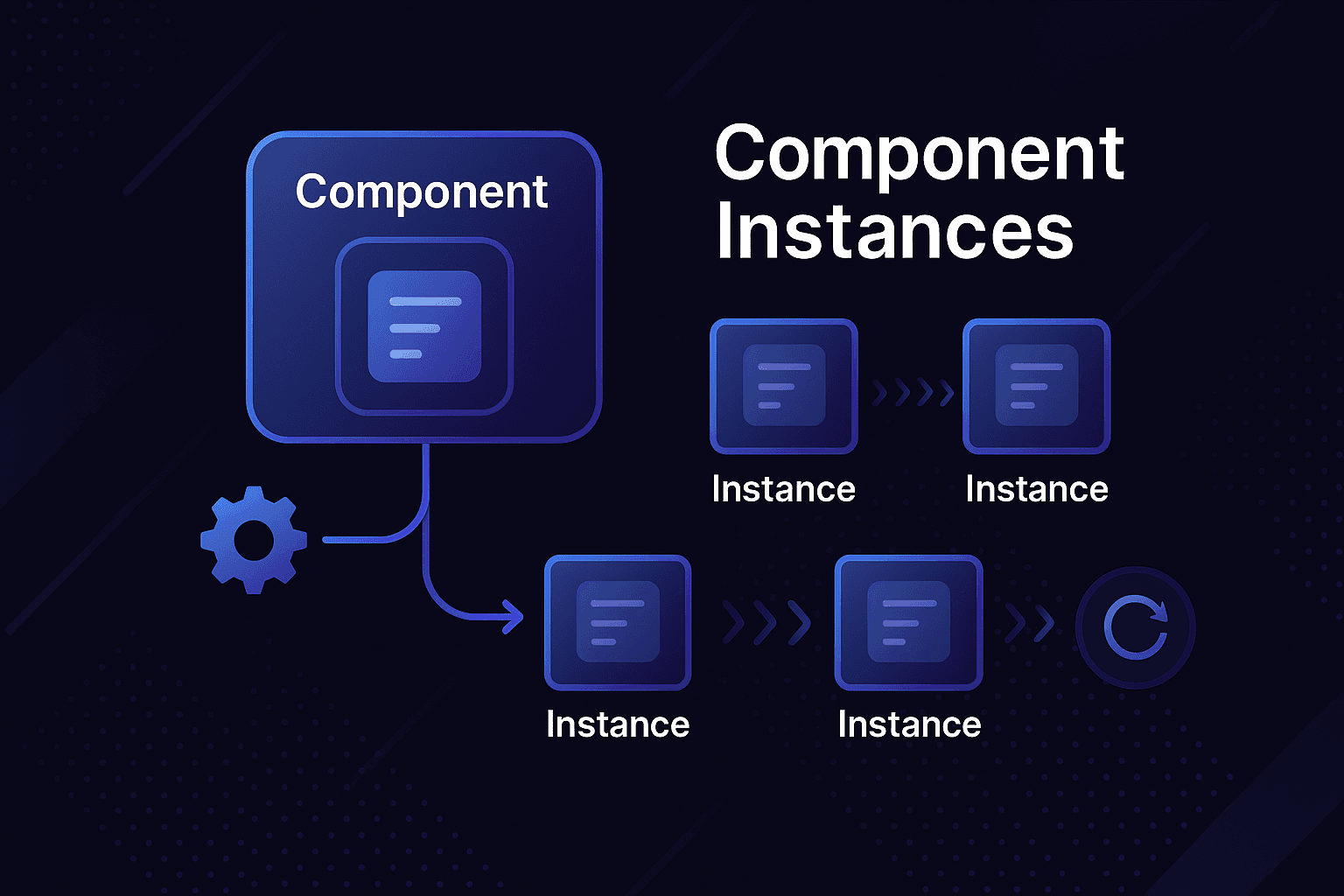
React is more than just a library for building user interfaces; it's a tool for creating scalable, efficient, and interactive applications. Central to React's operation is the concept of component instances, the mechanisms that allow React to manage state, props, and lifecycles effectively.
In this guide, we'll explore React component instances in detail, with explanations, real-world analogies, advanced examples, and actionable insights to ensure you can build robust applications confidently.
Introduction
#When you write a React component, you're defining a blueprint for a part of the user interface. However, when React renders that component, it creates an instance. This instance is where React keeps track of the component's state, props, lifecycle methods, and re-rendering logic.
Understanding component instances is crucial for:
- Debugging effectively: Knowing how React manages state and props simplifies troubleshooting
- Writing efficient code: By understanding how instances are created, destroyed, and reused, you can optimize performance
- Building scalable applications: Proper use of instances ensures your application can grow without becoming unwieldy
Basics of React Component Instances
#What Is a React Component Instance?
#A React component instance is the internal representation of a component. It exists as long as the component is mounted and is destroyed when the component unmounts.
Key Responsibilities of an Instance
#- State Management: Tracks and updates the state for the component
- Prop Handling: Receives data from the parent and passes it down to children
- Lifecycle Control: Executes lifecycle methods (class components) or effects (functional components)
- Rendering: Determines the output that React displays in the DOM
Real-Life Analogy
#Think of a blueprint as your React component. Each house built from that blueprint is an instance. While the blueprint defines the structure (number of rooms, windows, etc.), each house is unique because of its individual features (paint color, furniture).
Why Are Instances Necessary?
#Instances are the "brains" that allow React to:
- Encapsulate state: Each component instance maintains its own state, preventing data from leaking between components
- Optimize rendering: React reuses instances whenever possible to minimize DOM updates
- Enable modularity: Instances allow developers to render multiple copies of a component, each with unique behavior and data
React Components: Class vs. Functional
#React components can be written as either class components or functional components, but they handle instances differently.
Class Components and Instances
#Class components explicitly create instances when they are rendered. React uses these instances to attach methods, state, and lifecycle methods to the component.
Detailed Code Walkthrough: Class Components
#import React, { Component } from "react";
class Counter extends Component {
constructor(props) {
super(props); // Initializes the parent class
this.state = { count: 0 }; // Sets up instance-specific state
}
increment = () => {
this.setState((prevState) => ({ count: prevState.count + 1 }));
};
render() {
return (
<div>
<p>Count: {this.state.count}</p>
<button onClick={this.increment}>Increment</button>
</div>
);
}
}
export default Counter;
Key Points
#- The
constructorinitializes the instance with its state setStatemodifies the instance's state and triggers a re-render- React handles cleanup automatically when the component unmounts
Functional Components and Hooks
#Functional components don't create traditional instances. Instead, React uses hooks to manage state and effects.
Detailed Code Walkthrough: Functional Components
#import React, { useState } from "react";
function Counter() {
const [count, setCount] = useState(0); // useState manages state
function increment() {
setCount((prev) => prev + 1);
}
return (
<div>
<p>Count: {count}</p>
<button onClick={increment}>Increment</button>
</div>
);
}
export default Counter;
Key Differences
#| Aspect | Class Components | Functional Components |
|---|---|---|
| State | Managed with this.state | Managed with useState |
| Lifecycle Methods | Use explicit lifecycle methods | Use useEffect |
| Instances | Explicitly created by React | Internally managed by React |
Lifecycle and Component Instances
#React components go through various lifecycle stages, during which their instances are created, updated, and destroyed.
Mounting
#What happens?
- State is initialized
- Component is added to the DOM
- Lifecycle methods like
componentDidMount(class) oruseEffect(functional) are triggered
Real-life analogy: Mounting is like setting up a tent—placing it securely on the ground, ready for use.
Code Example: Mounting
#import React, { useState, useEffect } from "react";
function Timer() {
const [seconds, setSeconds] = useState(0);
useEffect(() => {
const interval = setInterval(() => setSeconds((prev) => prev + 1), 1000);
console.log("Mounted");
return () => {
clearInterval(interval);
console.log("Unmounted");
};
}, []);
return <p>Time elapsed: {seconds} seconds</p>;
}
Updating
#What happens?
- Props or state change
- Component re-renders with new data
- Lifecycle methods like
componentDidUpdate(class) oruseEffectwith dependencies (functional) are triggered
Code Example: Updating
#import React, { useState, useEffect } from "react";
function UserProfile({ userId }) {
const [user, setUser] = useState(null);
const [loading, setLoading] = useState(true);
useEffect(() => {
// This effect runs when userId changes
setLoading(true);
fetchUser(userId).then(userData => {
setUser(userData);
setLoading(false);
});
}, [userId]); // Dependency array ensures effect runs when userId changes
if (loading) return <div>Loading...</div>;
return (
<div>
<h2>{user.name}</h2>
<p>{user.email}</p>
</div>
);
}
Unmounting
#Unmounting is the process of removing a component from the DOM. During unmounting, React cleans up any resources associated with the component.
Real-Life Scenario: In a real-time dashboard, you might unmount a chart component when switching tabs. Without proper cleanup, resources like WebSocket connections could persist unnecessarily, leading to memory leaks.
Code Example: Unmounting
#import React, { useState, useEffect } from "react";
function WebSocketConnection({ roomId }) {
const [messages, setMessages] = useState([]);
useEffect(() => {
const ws = new WebSocket(`wss://api.example.com/rooms/${roomId}`);
ws.onmessage = (event) => {
setMessages(prev => [...prev, JSON.parse(event.data)]);
};
// Cleanup function runs on unmount
return () => {
ws.close();
console.log("WebSocket connection closed");
};
}, [roomId]);
return (
<div>
{messages.map((msg, index) => (
<div key={index}>{msg.text}</div>
))}
</div>
);
}
Advanced Topics
#Dynamic Lists and Keys
#When rendering lists, React uses keys to identify components. These keys ensure React can efficiently update the DOM when list items change.
Code Example: Using Keys
#const items = [{ id: 1, name: "Apple" }, { id: 2, name: "Banana" }];
function ItemList({ items }) {
return (
<ul>
{items.map((item) => (
<li key={item.id}>{item.name}</li>
))}
</ul>
);
}
Why Keys Matter
#// ❌ WRONG: Using index as key
function BadList({ items }) {
return (
<ul>
{items.map((item, index) => (
<li key={index}>{item.name}</li> // Can cause rendering issues
))}
</ul>
);
}
// ✅ CORRECT: Using unique, stable identifier
function GoodList({ items }) {
return (
<ul>
{items.map((item) => (
<li key={item.id}>{item.name}</li> // Stable and unique
))}
</ul>
);
}
Performance Optimization
#React optimizes rendering by reusing component instances. However, improper coding practices can hinder this optimization.
Best Practices for Performance
#- Use React.memo to prevent unnecessary renders:
import React, { memo } from 'react';

const ExpensiveComponent = memo(({ data, onUpdate }) => {
  console.log('ExpensiveComponent rendered');

  return (
    <div>
      <h3>{data.title}</h3>
      <button onClick={() => onUpdate(data.id)}>Update</button>
    </div>
  );
});

// Only re-renders when props actually change
function Parent() {
  const [data, setData] = useState({ id: 1, title: 'Hello' });

  const handleUpdate = useCallback((id) => {
    setData(prev => ({ ...prev, title: 'Updated' }));
  }, []);

  return <ExpensiveComponent data={data} onUpdate={handleUpdate} />;
}
- Avoid inline functions in components to minimize re-renders:
// ❌ WRONG: Inline function creates new reference on every render
function BadComponent({ items }) {
  return (
    <div>
      {items.map(item => (
        <button key={item.id} onClick={() => handleClick(item.id)}>
          {item.name}
        </button>
      ))}
    </div>
  );
}

// ✅ CORRECT: Memoized callback
function GoodComponent({ items }) {
  const handleClick = useCallback((id) => {
    // Handle click
  }, []);

  return (
    <div>
      {items.map(item => (
        <button key={item.id} onClick={() => handleClick(item.id)}>
          {item.name}
        </button>
      ))}
    </div>
  );
}
Instance Identity and Refs
#React provides refs to access component instances directly:
import React, { useRef, useEffect } from 'react';

function FocusableInput() {
  const inputRef = useRef(null);

  useEffect(() => {
    // Focus the input when component mounts
    inputRef.current?.focus();
  }, []);

  return <input ref={inputRef} placeholder="I'll be focused!" />;
}
Forwarding Refs
#For higher-order components or wrapper components:
import React, { forwardRef } from 'react';

const FancyButton = forwardRef((props, ref) => (
  <button ref={ref} className="fancy-button" {...props}>
    {props.children}
  </button>
));

function App() {
  const buttonRef = useRef(null);

  const handleClick = () => {
    buttonRef.current?.focus();
  };

  return (
    <div>
      <FancyButton ref={buttonRef}>Click me</FancyButton>
      <button onClick={handleClick}>Focus fancy button</button>
    </div>
  );
}
Real-World Applications
#1. Dynamic User Interfaces
#Example: A chat app with independently updating message threads.
function ChatApp() {
  const [rooms, setRooms] = useState([]);
  const [activeRoom, setActiveRoom] = useState(null);

  return (
    <div className="chat-app">
      <RoomList
        rooms={rooms}
        onRoomSelect={setActiveRoom}
        activeRoom={activeRoom}
      />
      {activeRoom && (
        <MessageThread
          key={activeRoom.id} // Forces new instance when room changes
          roomId={activeRoom.id}
        />
      )}
    </div>
  );
}

function MessageThread({ roomId }) {
  const [messages, setMessages] = useState([]);

  useEffect(() => {
    // Each room gets its own message thread instance
    const unsubscribe = subscribeToMessages(roomId, setMessages);
    return unsubscribe;
  }, [roomId]);

  return (
    <div className="message-thread">
      {messages.map(msg => (
        <Message key={msg.id} message={msg} />
      ))}
    </div>
  );
}
2. IoT Dashboards
#Each device card in a dashboard has unique state (e.g., temperature, connectivity).
function DeviceDashboard({ devices }) {
  return (
    <div className="dashboard">
      {devices.map(device => (
        <DeviceCard
          key={device.id}
          device={device}
        />
      ))}
    </div>
  );
}

function DeviceCard({ device }) {
  const [status, setStatus] = useState(device.status);
  const [temperature, setTemperature] = useState(device.temperature);

  useEffect(() => {
    // Each device card maintains its own real-time data
    const interval = setInterval(async () => {
      const data = await fetchDeviceData(device.id);
      setStatus(data.status);
      setTemperature(data.temperature);
    }, 1000);

    return () => clearInterval(interval);
  }, [device.id]);

  return (
    <div className={`device-card ${status}`}>
      <h3>{device.name}</h3>
      <p>Temperature: {temperature}°C</p>
      <p>Status: {status}</p>
    </div>
  );
}
3. Real-Time Collaboration
#Managing individual user cursors in a collaborative editor.
function CollaborativeEditor({ documentId, userId }) {
  const [cursors, setCursors] = useState({});
  const [content, setContent] = useState('');

  useEffect(() => {
    // Subscribe to cursor updates from other users
    const unsubscribe = subscribeToCursors(documentId, (userCursors) => {
      setCursors(userCursors);
    });

    return unsubscribe;
  }, [documentId]);

  return (
    <div className="editor">
      <EditorContent
        content={content}
        onChange={setContent}
        userId={userId}
      />
      {Object.entries(cursors).map(([userId, cursor]) => (
        <UserCursor
          key={userId}
          userId={userId}
          position={cursor.position}
          color={cursor.color}
        />
      ))}
    </div>
  );
}
Debugging Component Instances
#Using React DevTools
#- Component Tree: See how components are nested and their relationships
- Props and State: Inspect current values and changes over time
- Profiler: Identify performance bottlenecks and unnecessary re-renders
Console Logging for Debugging
#function DebugComponent({ name, data }) {
console.log(`Rendering ${name} with data:`, data);
useEffect(() => {
console.log(`${name} mounted`);
return () => console.log(`${name} unmounted`);
}, [name]);
useEffect(() => {
console.log(`${name} data changed:`, data);
}, [data, name]);
return <div>{name}: {JSON.stringify(data)}</div>;
}
Debugging with useDebugValue
#import { useState, useDebugValue } from 'react';
function useCounter(initialValue = 0) {
const [count, setCount] = useState(initialValue);
useDebugValue(count, count => `Count: ${count}`);
return [count, setCount];
}
Common Pitfalls and Solutions
#1. Stale Closures
#// ❌ WRONG: Stale closure
function BadTimer() {
const [count, setCount] = useState(0);
useEffect(() => {
const interval = setInterval(() => {
setCount(count + 1); // Always uses initial count value
}, 1000);
return () => clearInterval(interval);
}, []); // Empty dependency array
return <div>{count}</div>;
}
// ✅ CORRECT: Functional update
function GoodTimer() {
const [count, setCount] = useState(0);
useEffect(() => {
const interval = setInterval(() => {
setCount(prev => prev + 1); // Uses current count value
}, 1000);
return () => clearInterval(interval);
}, []);
return <div>{count}</div>;
}
2. Missing Dependencies in useEffect
#// ❌ WRONG: Missing dependency
function BadComponent({ userId }) {
const [user, setUser] = useState(null);
useEffect(() => {
fetchUser(userId).then(setUser);
}, []); // Missing userId dependency
return <div>{user?.name}</div>;
}
// ✅ CORRECT: Include all dependencies
function GoodComponent({ userId }) {
const [user, setUser] = useState(null);
useEffect(() => {
fetchUser(userId).then(setUser);
}, [userId]); // Include userId in dependencies
return <div>{user?.name}</div>;
}
3. Memory Leaks
#// ❌ WRONG: Potential memory leak
function BadComponent() {
const [data, setData] = useState(null);
useEffect(() => {
let isMounted = true;
fetchData().then(result => {
if (isMounted) { // Still might cause issues
setData(result);
}
});
// Missing cleanup
}, []);
return <div>{data}</div>;
}
// ✅ CORRECT: Proper cleanup
function GoodComponent() {
const [data, setData] = useState(null);
useEffect(() => {
let isMounted = true;
fetchData().then(result => {
if (isMounted) {
setData(result);
}
});
return () => {
isMounted = false; // Cleanup function
};
}, []);
return <div>{data}</div>;
}
Testing Component Instances
#Unit Testing with React Testing Library
#import { render, screen, fireEvent } from '@testing-library/react';
import { Counter } from './Counter';
test('counter increments when button is clicked', () => {
render(<Counter />);
const button = screen.getByText('Increment');
const count = screen.getByText(/Count:/);
expect(count).toHaveTextContent('Count: 0');
fireEvent.click(button);
expect(count).toHaveTextContent('Count: 1');
});
Testing Lifecycle Effects
#import { render, unmount } from '@testing-library/react';
import { Timer } from './Timer';
test('timer cleans up interval on unmount', () => {
const consoleSpy = jest.spyOn(console, 'log');
const { unmount } = render(<Timer />);
// Wait for mount
expect(consoleSpy).toHaveBeenCalledWith('Mounted');
unmount();
// Wait for unmount
expect(consoleSpy).toHaveBeenCalledWith('Unmounted');
consoleSpy.mockRestore();
});
Best Practices
#- Prefer functional components with hooks for simplicity
- Use unique keys in dynamic lists for efficient rendering
- Always clean up resources in
useEffect - Avoid directly mutating state; use
setStateoruseStateinstead - Use React.memo for expensive components
- Memoize callbacks with
useCallbackwhen passing to child components - Use proper dependency arrays in
useEffect
Conclusion
#React component instances are the foundation of React's ability to build dynamic, modular, and efficient applications. By mastering these concepts, you'll gain:
- A deeper understanding of React's mechanics
- Confidence in building scalable, maintainable codebases
- The ability to debug and optimize applications effectively
Key Takeaways
#- Component instances are React's internal representation of components
- Class components create explicit instances, functional components use hooks
- Lifecycle management is crucial for proper resource cleanup
- Performance optimization requires understanding how instances are created and reused
- Debugging becomes easier when you understand instance behavior
Next Steps
#- Practice building components with proper lifecycle management
- Learn about advanced patterns like render props and higher-order components
- Explore state management libraries for complex applications
- Study performance optimization techniques for large applications
Start applying these concepts in your projects, and you'll build more robust, efficient React applications.